Every Tooldi feature,
in one place
Five editing tools and seven AI features.
Tooldi handles the fiddly parts so you can think about what to make.
Editing tools
Template editing
Start from 24,000+ templates and make it yours with a few drags. Swap elements, photos, and fonts freely.
Drag to editAutosavePrint making
What you design is what gets printed. Tooldi sets trim marks, margins, and color profiles, then ships it to your door.
Auto trim marksShipping built in- Aa Bb AgLight Medium Bold
Typography
Only fonts that look right in Korean. Tune letter and line spacing, or start from a recommended pairing.
Korean-firstPairings 

Bitmap Recolor
Change just the colors you want in PNG and photo elements. Pick a main color, swap it, and the shading and texture stay put.
Partial recolorKeeps shadingQR/Barcode
Enter a URL and the QR code drops straight into your design. Style it with shapes, colors, and a logo, and make product barcodes too.
QR generator4 barcode types

AI features
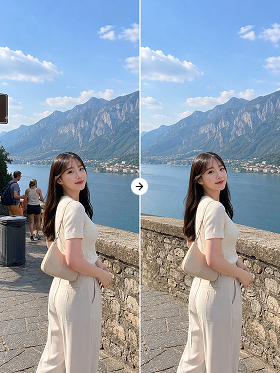
Free Editing
Pick a photo, write what you want changed in one line, and AI edits the background, color, and objects for you.
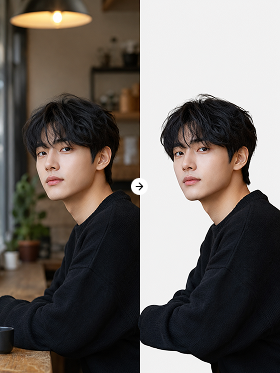
Background removal
People, products, logos — AI detects the subject automatically and cuts the background out cleanly.
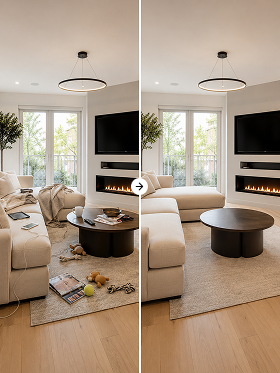
AI eraser
Passersby, objects, even shadows. Select the area you want gone and AI removes it naturally.
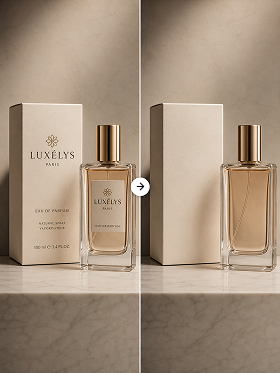
Text removal
Subtitles, dates, logos, stray captions. AI finds the text and erases it without a trace.
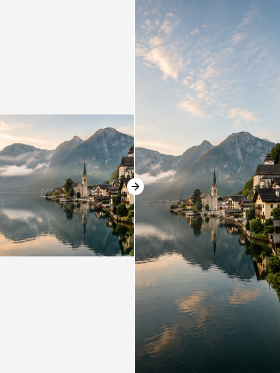
Image Expand
AI generates the missing background so your image fits any ratio you need.
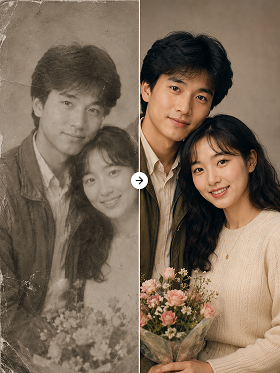
Color restoration
From old family photos to whole albums — Tooldi AI reads the image and restores natural color.
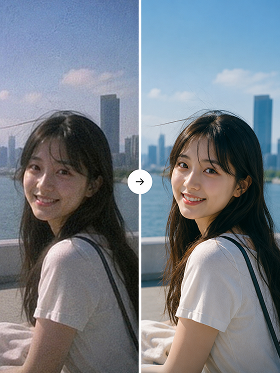
Image upscaling
From low-resolution files to over-compressed photos, AI rebuilds detail and sharpens the result.
Subscribe to Pro
for 500 creditsFree members can try it out too.
Explore Pro
Everything you need to design
starts here
Template editing, image AI, and every design tool — free to start.